Synthetic example
Conveyancing
Synthetic purchase file: source review, client documents and a signed authority.
Worked source-review exercise
- Sample source
- Sample contract, page 2: purchase price $850,000; settlement 15 December 2026.
- Review exercise
- The sample matter record says 16 December. Compare the page citation, correct it to 15 December and confirm the date before the workflow uses it.
- Sample client draft after review
- We have recorded settlement for 15 December 2026. Please review the attached client authority before signing. A practitioner must review the draft.
- Signing check
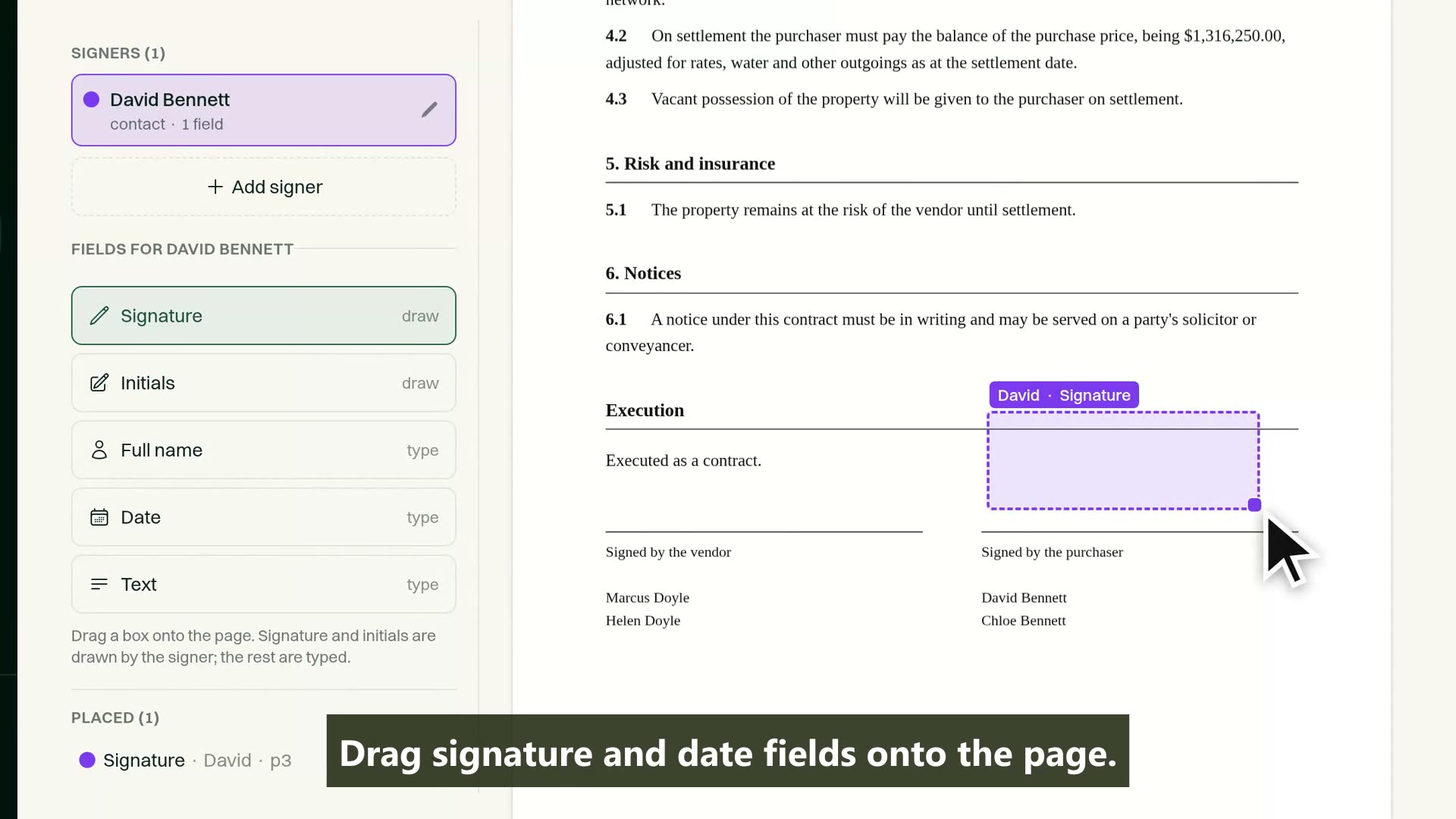
- Use a cost agreement or appropriate authority: review the document, recipients and fields, send the prepared request, then inspect the completed PDF and signing certificate on the matter.
- AI charge check
- For an illustrative ten-page document, processing consumes A$1.50 of the AI balance, ex GST. Check its matter attribution and itemised export; allowance consumption is not an additional purchase.
-
Step 1
Capture and open
Capture an enquiry, check parties for conflicts and open a purchase matter using the firm's configured template.
Matter management -
Step 2
Read the source
Read a sample contract of sale. Inspect the extracted parties, price and dates against their source pages, and the MatterFirst usage charge against this matter.
Document AI -
Step 3
Review and confirm
Correct a deliberately mismatched date and confirm the information and obligations before using them for the firm's next actions.
Source review -
Step 4
Prepare client documents
Generate and review a client letter from the firm's Word precedent and reviewed matter information. Drafting and substantive review remain separate from signing administration.
Document preparation -
Step 5
Prepare, send and sign
Review the cost agreement or client authority, choose recipients and check signing fields. A configured workflow can send the prepared request. Clients sign by secure link or portal; the completed PDF and signing certificate stay on the matter.
Built-in signing -
Step 6
Keep the client informed
Share appropriate documents and progress through the client portal. PEXA and InfoTrack are available through coordinated manual setup with MatterFirst and the provider, rather than self-serve. Confirm requirements and timing before rollout.
Client portal -
Step 7
Review time and costs
Review recorded time, matter-level AI usage charges and the itemised export. Decide recovery under the applicable rules and costs agreement before billing; recording a charge does not automatically invoice the client.
AI cost visibility