E-signatures
Signed where the work lives.
Not in another tool.
Send any matter document for signature without leaving MatterFirst. Clients sign from the portal or an emailed link, on any device, and the executed copy comes back stamped, certified and filed to the matter.
Last reviewed
How does electronic signing work in MatterFirst?
Open a PDF on the matter, choose Send for signature, add signers and drag signature, initials, name, date or text boxes onto the page. Each signer is emailed a link and signs from the portal or their inbox, drawn or typed. MatterFirst stamps every mark into the PDF and appends a signing certificate.
How it works
From matter document to executed copy
Pick a document
Place fields
Send
Client signs
Executed copy
No signer account needed
Signatures can be drawn or typed
Every signature is stamped into the page
Send for signature
Place the fields where the document expects them
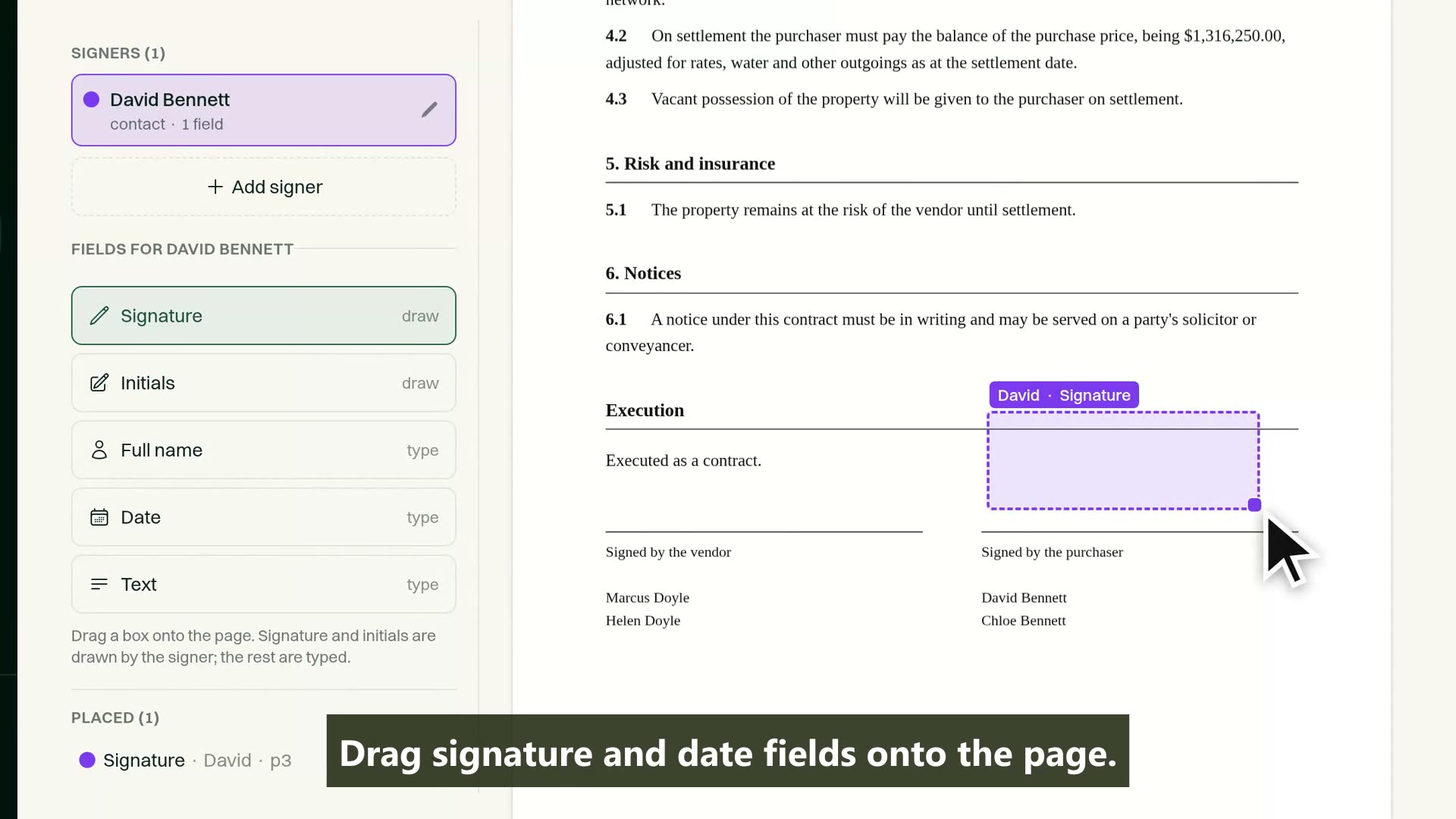
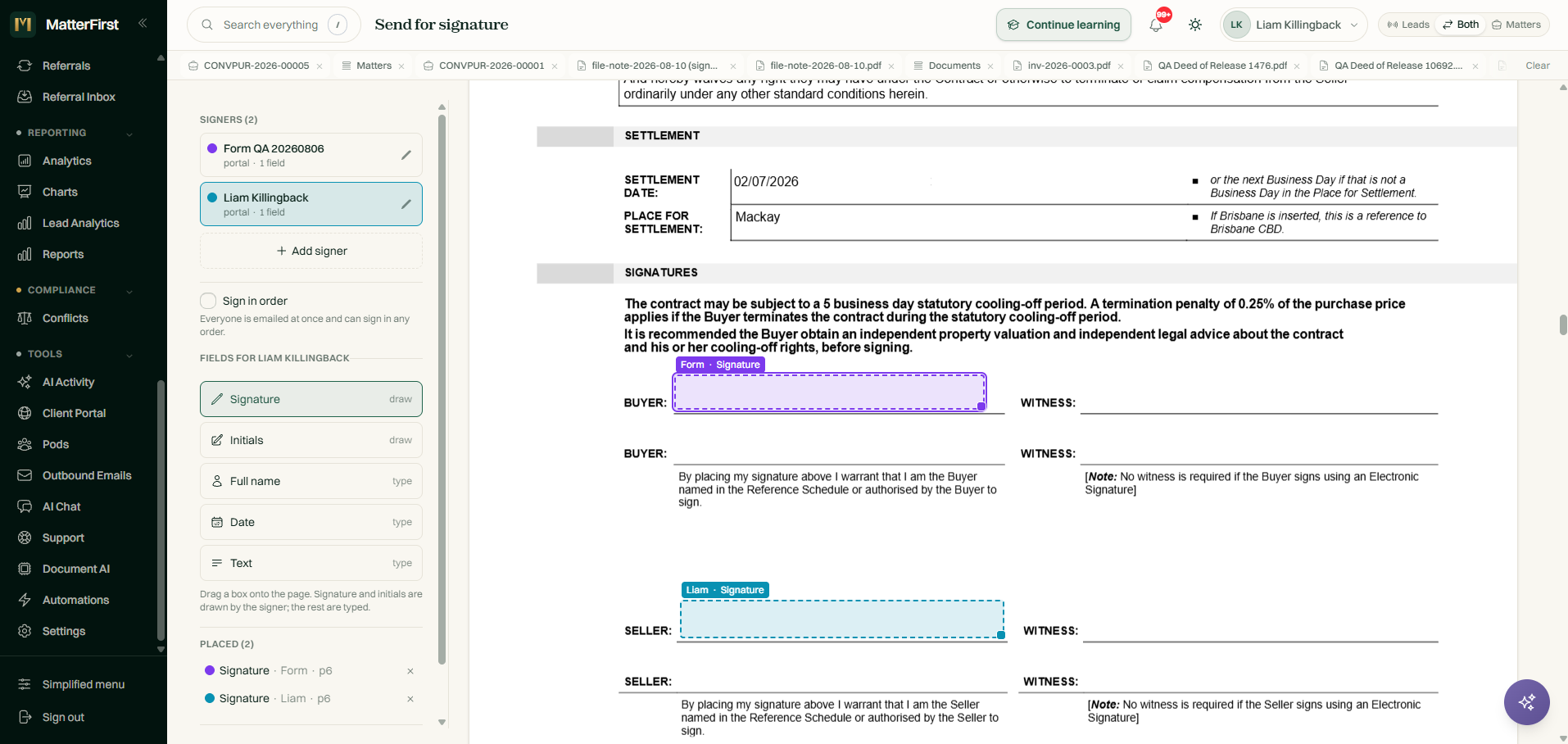
Choose a PDF on the matter, add the signers, and drag boxes straight onto the page. Every box belongs to a specific signer, colour coded so a two-party contract stays legible, and the layout locks the moment the request goes out.
- Signers can be portal clients, matter contacts, or anyone named by email
- Five field types: signature and initials are drawn, full name, date and text are typed
- Boxes are dragged onto the page and colour coded per signer
- Optional signing order: everyone at once, or gated one after another
Capability 1 of 4
Fields on the page, each one owned by a signer.
Signing
Clients sign from the portal or straight from the email
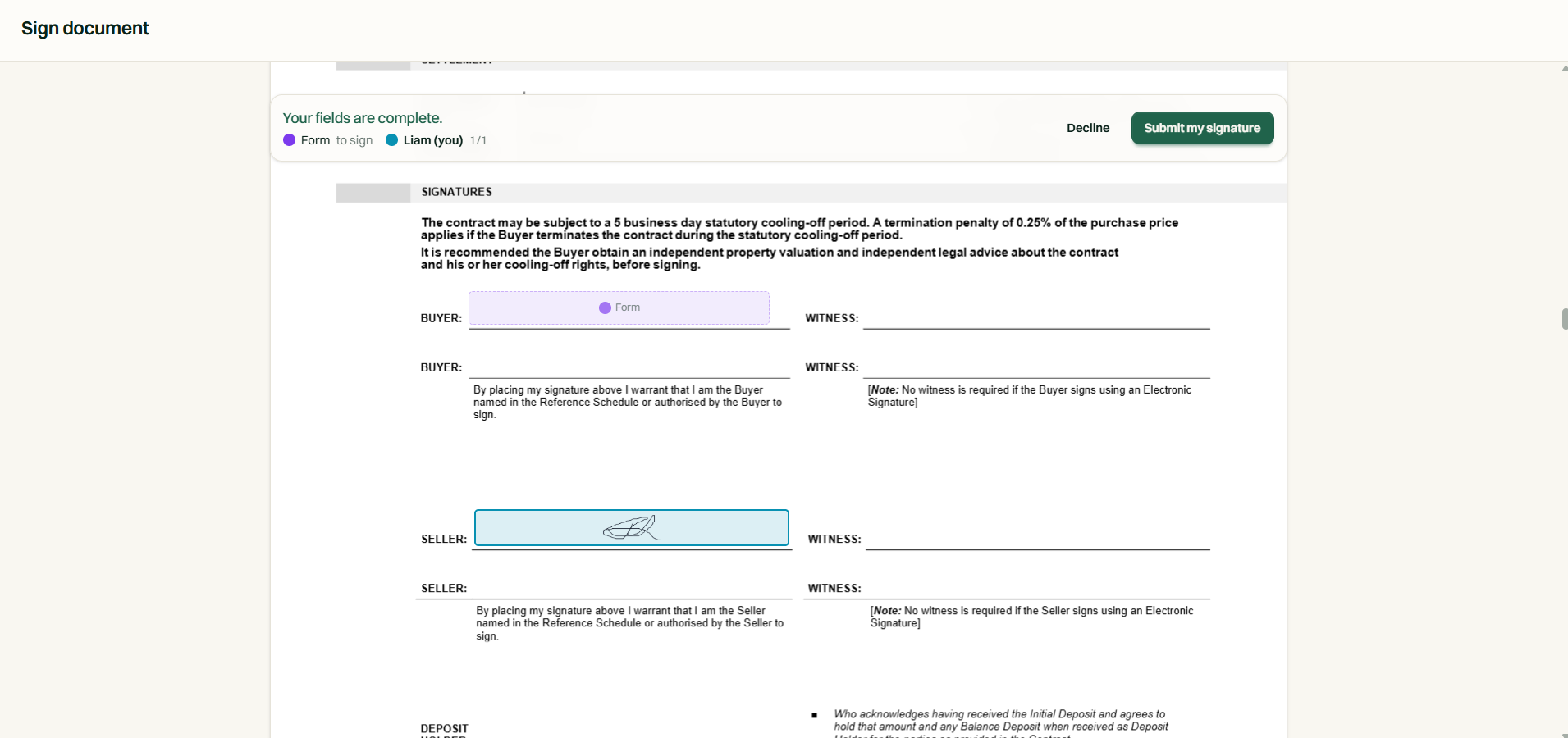
Each signer gets an email with their own secure link. Portal clients can also sign from their documents list. The page shows them exactly which boxes are theirs, and a half-drawn signature survives a lost connection.
- No account needed: the emailed link is the credential
- Draw on a phone, tablet or trackpad, with an in-progress signature restored after a reload
- Type instead of draw: a typed name is rendered and stamped identically
- Date fields arrive pre-filled with the day of signing
Capability 2 of 4
Their boxes live, everyone else's locked.
Evidence & control
One request per document, one signer per field
The server, not the page, decides who may sign what and when. Every submission records the evidence a dispute would ask for, and a signer who wants out can decline with a reason rather than going quiet.
- Each signer can only complete their own fields, enforced server side
- Consent, timestamp, IP address and device recorded on every signature
- Signing burns the emailed link, so a signed link cannot be reused
- Simultaneous submissions cannot collide, and a signer can decline with the reason recorded
Capability 3 of 4
Who signed what, when, from where.
The executed copy
A stamped PDF with its certificate attached
When the last signer finishes, every signature is burned into the pages of the PDF and a signing certificate is appended: who was asked, when they opened it, when they signed, from what IP, and whether each mark was drawn or typed. One file, filed to the matter.
- Every signature is stamped into the page it was placed on
- The certificate travels with the document, not as a separate file that can go missing
- The source document is marked signed and the executed copy is filed beside it
- A failed render retries automatically and never loses a captured signature
Capability 4 of 4
The document and its proof leave as one file.
MatterFirst is an AI-native legal practice management platform for Australian law firms, focused on small and boutique firms from solo practitioners up to about 20 users, built by NorthCape Technology, covering matters, AI document work, configurable workflows, automatic time capture for review, Matti, built-in signing, trust accounting, billing and a client portal, with firm and matter visibility of MatterFirst AI usage charges.
This suits firms that send contracts, deeds of release, authorities and cost agreements out for signature every week and are paying for a separate e-signing tool to do it. It is built into the matter, so it is worth less to a firm that rarely needs documents executed, and it does not change the rules for instruments that must still be signed on paper or witnessed in person: those keep their own process.
FAQ
Frequently asked questions
Are electronic signatures legally valid in Australia?
Do signers need a MatterFirst or portal account?
What if a signer cannot draw a signature?
Can we control the order people sign in?
Where is my data stored?
How much does MatterFirst cost?
Can I get my data out if I leave?
Is there a free trial?
Who builds MatterFirst?
Is MatterFirst suitable for a firm of my size?
Reviewed by Nick Hallam
Co-founder and Operations Director, NorthCape Technology
Aerospace engineer with a background in mission-critical software and complex systems integration, and the one who talks to firms about how they actually run. Keeps MatterFirst grounded in how firms operate, and reviews the practice-area and workflow pages on this site.
Last reviewed
Ready to stop chasing wet signatures?
Book a demo and we will send a document round the full loop while you watch, from placing the first field to opening the executed copy.
We can't find the internet Attempting to reconnect
Something went wrong! Attempting to reconnect