Automation engine
Stop doing manually
what software should handle.
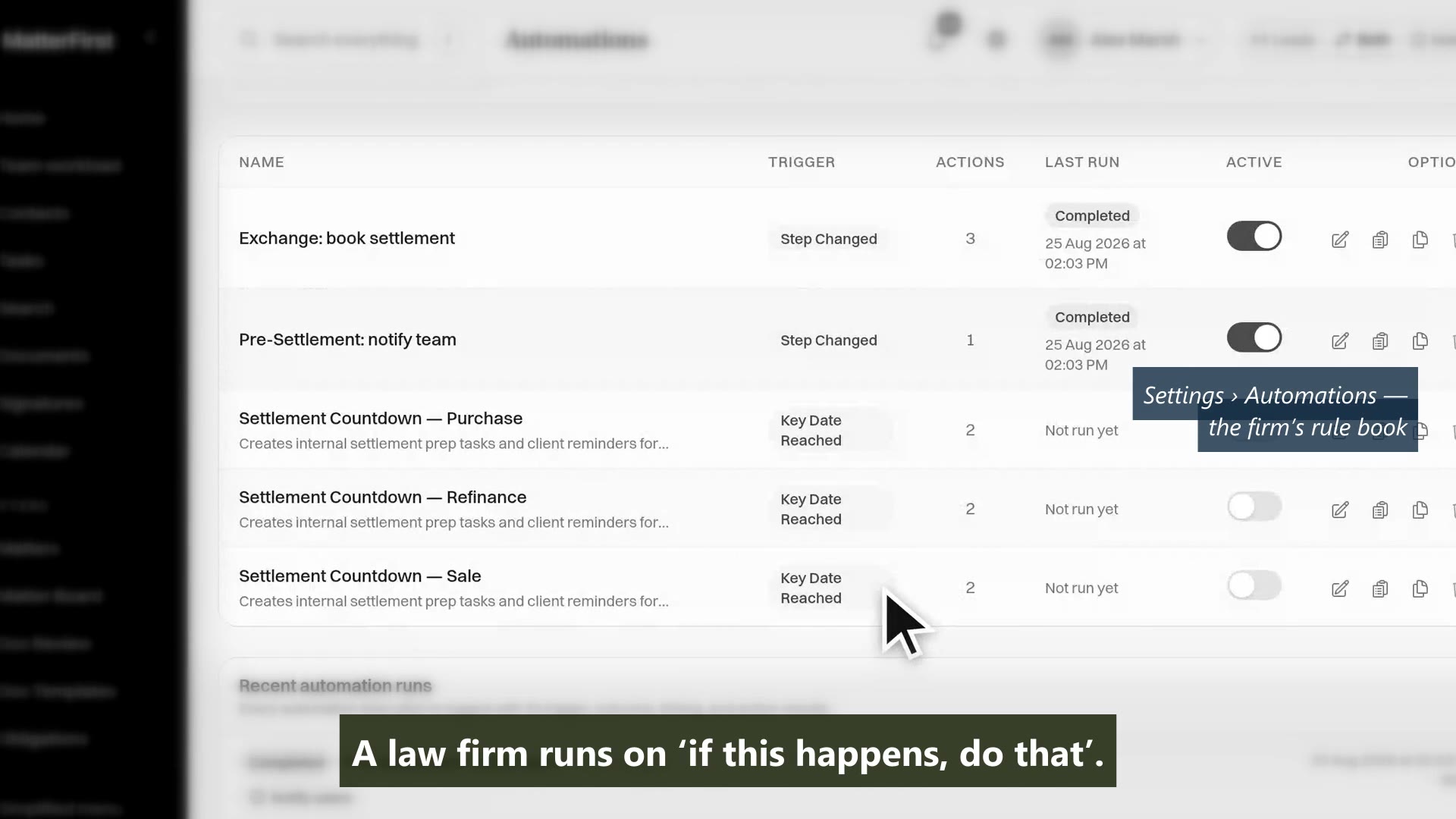
Welcome emails, task assignments, status updates, deadline reminders. The automation engine handles the operational overhead so your team can focus on the work that actually needs a lawyer.
Last reviewed
What is legal workflow automation?
Rules that do the routine work around a matter without anybody remembering to: when a matter reaches a stage, send the client update, create the tasks, set the reminder. In MatterFirst these are built visually by a practice manager and changeable without a consultant or a support ticket; workflows keep their versions and every automation run is logged.
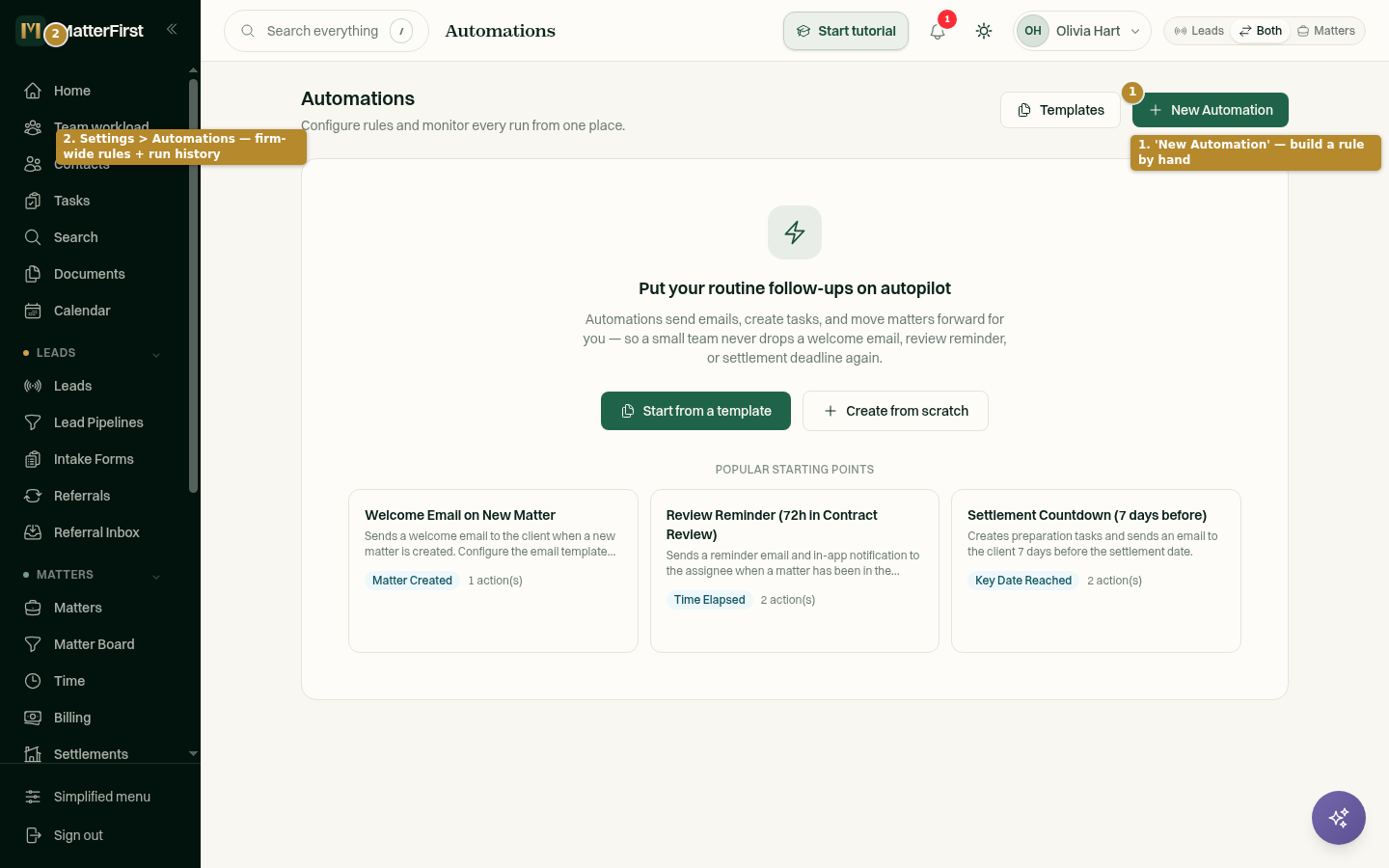
Trigger · Condition · Action
If this happens, do that, without writing code
Every automation follows the same pattern: a trigger fires, conditions evaluate, and actions execute. Build complex multi-step sequences with a visual editor, no developers required.
- Event triggers: task complete, status change, date reached, document uploaded
- Conditional logic: branch on a field on the matter, a custom field value, or whether a matter role exists
- Actions: send email, create task, update field, notify team, and for admins an advanced webhook to another system
- Multi-step chains, executed in order, with delay and conditional steps
Capability 1 of 4
Trigger, condition, action, built without code.
Recipe library
Start with proven recipes, customise to fit
Pre-built automation recipes for common scenarios: welcome emails on new matters, reminders on stale matters, document alerts before settlement, and invoicing when a matter completes.
- Built-in recipes for the common cases: welcome email, review reminder, settlement countdown, stale-matter close, upload alert, invoice on completion
- One-click install, with more arriving through practice-area template packs
- Clone and customise any recipe to match your process
- Build your own from the same trigger, condition and action parts
Capability 2 of 4
Proven recipes, ready to install and customise.
Governance
Every automation logged. Every action auditable.
See exactly what ran, when, and why. Pause an automation, and read its full execution history when you need to debug it. Role-based permissions control who can create and modify automations.
- Complete execution log with trigger, conditions and actions
- Pause/resume controls for individual automations
- A failed action is recorded against the run rather than silently dropped, and a step can be set to continue or to stop the chain
- Role-based access: admin-only creation, team-wide visibility
Capability 3 of 4
Every run logged, every action auditable.
What actually ran
See what fired, and how often
Every automation keeps a run log: which trigger fired, which conditions held, which actions ran and what each one returned. That is what you check when a client gets an email nobody expected.
- Per-automation execution count and frequency
- Every run recorded with its trigger, conditions and action outcomes
- Failed actions surfaced rather than swallowed
- Filter the log by automation, matter or outcome
Capability 4 of 4
Every run recorded, rule by rule.
MatterFirst is an AI-native legal practice management platform for Australian law firms, built for small and boutique practices by NorthCape Technology.
This suits repeatable, stage-based work and firms whose current process lives in somebody's head or a checklist in a Word document. It suits practice managers specifically, because they are the ones who will maintain it. It is worth less to a firm whose matters are all bespoke, where the setup cost is unlikely to be repaid.
FAQ
Frequently asked questions
Do we need a consultant to set this up?
What can trigger an automation?
What happens if an automation misfires?
Where is my data stored?
How much does MatterFirst cost?
Can I get my data out if I leave?
Is there a free trial?
Who builds MatterFirst?
Is MatterFirst suitable for a firm of my size?
Reviewed by Nick Hallam
Co-founder and Operations Director, NorthCape Technology
Aerospace engineer with a background in mission-critical software and complex systems integration, and the one who talks to firms about how they actually run. Keeps MatterFirst grounded in how firms operate, and reviews the practice-area and workflow pages on this site.
Last reviewed
Ready to automate the repetitive work?
Book a demo and we will build your first automation live, so you can judge how hard it would be to maintain it yourself.
We can't find the internet Attempting to reconnect
Something went wrong! Attempting to reconnect