Document templates
Your precedents, prefilled.
Your letters, drafted.
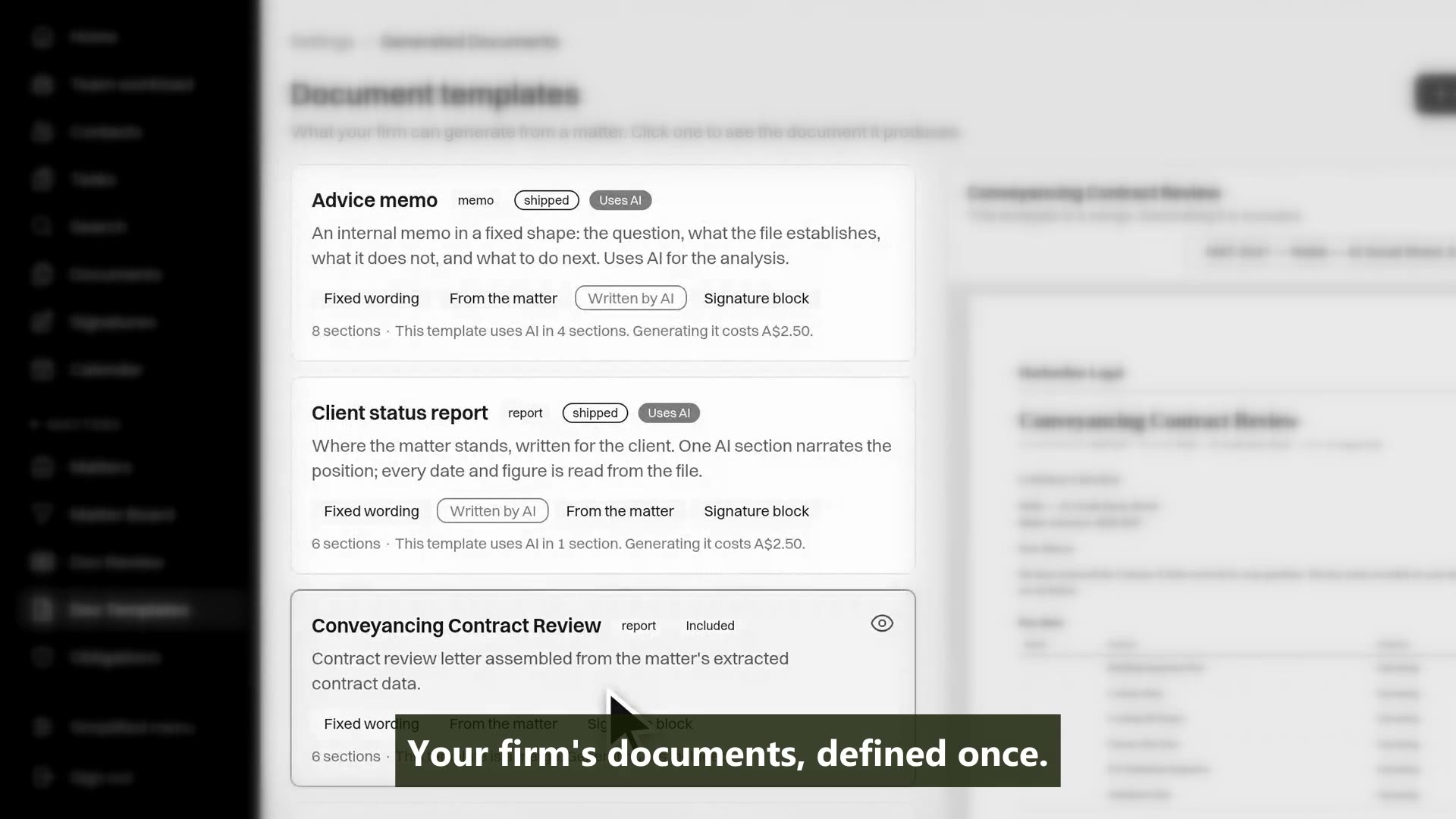
Upload the Word precedents your firm already trusts. MatterFirst fills the merge tags from the matter record and from the matter's own documents, drafts the longer ones with AI a person reviews, and files the result where the client can act on it.
Last reviewed
How do legal document templates work in MatterFirst?
You upload the Word precedents your firm already uses, with {{merge.tags}}. Generating one on a matter fills each tag from the matter record and from facts read out of the matter's documents, and the merged document is filed on the matter, ready for the portal or for signing. AI drafting draws on the same two sources.
How it works
From precedent to filed document
Your template
Matter record
Document facts
Merge
AI drafting
Filed & sent
Two sources: what the firm recorded, and what the documents establish
Everything a model wrote is reviewed before it can be filed
Letterhead headers and footers keep their merged values
Your precedents
Upload the precedents you already have
A template is your own uploaded document tied to a matter type, with an optional destination folder. It appears on every matching matter, ready to generate, and nothing is created until somebody decides it should be.
- Templates are the documents you upload, not versions rebuilt in our editor
- Tied to a matter type, so a conveyancing letter never offers itself on a family matter
- Each template can name a destination folder, and the generated document files itself there
- Nothing lands on the matter until someone presses generate
Capability 1 of 5
Your precedents, ready on every matching matter.
Merge tags
Prefilled from the record, and from the documents
Merge tags cover the matter, its people and its dates: {{matter.reference}}, {{role.Vendor.name}}, {{key_date.settlement}}, custom fields and more. They fill from two sources: what the firm recorded on the matter, and what the matter's documents establish.
- Tags for matter details, contacts, parties by role, key dates, custom fields and the current workflow step
- Conditional blocks, so a paragraph appears only when a field has the value that calls for it
- A field or key date the firm has not filled in resolves from the matter's documents; where both exist, the recorded value wins
- Tags that resolve to nothing are flagged before the document goes anywhere, not shipped to a client as placeholders
Capability 2 of 5
Two sources: the record, and what the documents establish.
Letterhead & branding
The PDF looks the way Word would print it
Merge tags are substituted into headers, footers and footnotes, which is where letterhead carries the matter reference. The exact PDF render is produced by LibreOffice, so those headers and footers keep their merged values instead of being discarded the way lighter converters discard them.
- Substitution in headers, footers and footnotes as well as the body
- An exact PDF rendered by LibreOffice, showing the page as Word would print it, letterhead included
- Firm-wide document branding: letterhead, fonts, page numbers, margins set in millimetres
- A signature sign-off block set once in branding and applied to generated documents
Capability 3 of 5
Letterhead that survives all the way to the PDF.
AI drafting
Longer documents, drafted from the matter
Document definitions compose a document section by section. Merge, clause-library and data sections are deterministic and make no model call. AI sections are written from the matter record and the matter's documents, and nothing a model wrote leaves the firm unreviewed.
- Sections built from your templates, your clause library and the matter's own data involve no AI at all
- AI-written sections are grounded in the matter and its documents, not a generic prompt
- Every paragraph shows its origin, and each AI-written one must be accepted or edited before filing
- A value the matter does not record prints as a visible gap with a warning on the document itself
Capability 4 of 5
Drafted from the matter, reviewed by a person.
Out the door
From draft to portal, inbox or signature
Finalising is the moment a draft becomes a document: it is rendered in the formats you choose, filed in the matter folder you pick, and locked. Only a finalised document can be put in front of a client, by any route.
- Rendered as PDF, Word or both, filed on the matter and locked against further edits
- Published to the client portal in every format that exists, so the client sees what you see
- Emailed as a PDF to a contact on the matter, through the firm's connected inbox
- Sent for e-signing: place the fields, each signer signs their own, and one executed document with a certificate is filed back
Capability 5 of 5
Finished documents go where the client is.
MatterFirst is an AI-native legal practice management platform for Australian law firms, focused on small and boutique firms from solo practitioners up to about 20 users, built by NorthCape Technology, covering matters, AI document work, configurable workflows, automatic time capture for review, Matti, built-in signing, trust accounting, billing and a client portal, with firm and matter visibility of MatterFirst AI usage charges.
This suits firms whose work runs on precedents: conveyancing, family and commercial practices where the same letters and documents recur matter after matter, and firms that want to keep their Word precedents exactly as they are rather than rebuild them in someone else's editor. It is worth less to a firm that drafts every document from a blank page, and a precedent kept only as a PDF is copied as-is rather than merged: the merge needs a Word or text source.
FAQ
Frequently asked questions
Do we have to rebuild our precedents in your editor?
Where does the merged data come from?
Does AI write the documents?
What happens to the finished document?
Where is my data stored?
How much does MatterFirst cost?
Can I get my data out if I leave?
Is there a free trial?
Who builds MatterFirst?
Is MatterFirst suitable for a firm of my size?
Reviewed by Nick Hallam
Co-founder and Operations Director, NorthCape Technology
Aerospace engineer with a background in mission-critical software and complex systems integration, and the one who talks to firms about how they actually run. Keeps MatterFirst grounded in how firms operate, and reviews the practice-area and workflow pages on this site.
Last reviewed
Ready to generate documents from the matter?
Book a demo and bring one of your own precedents. We will upload it, tag it and generate it on a live matter, so you can see exactly what fills in and from where.
We can't find the internet Attempting to reconnect
Something went wrong! Attempting to reconnect