Meet Matti
Matti, your MatterFirst AI assistant,
right beside your matters.
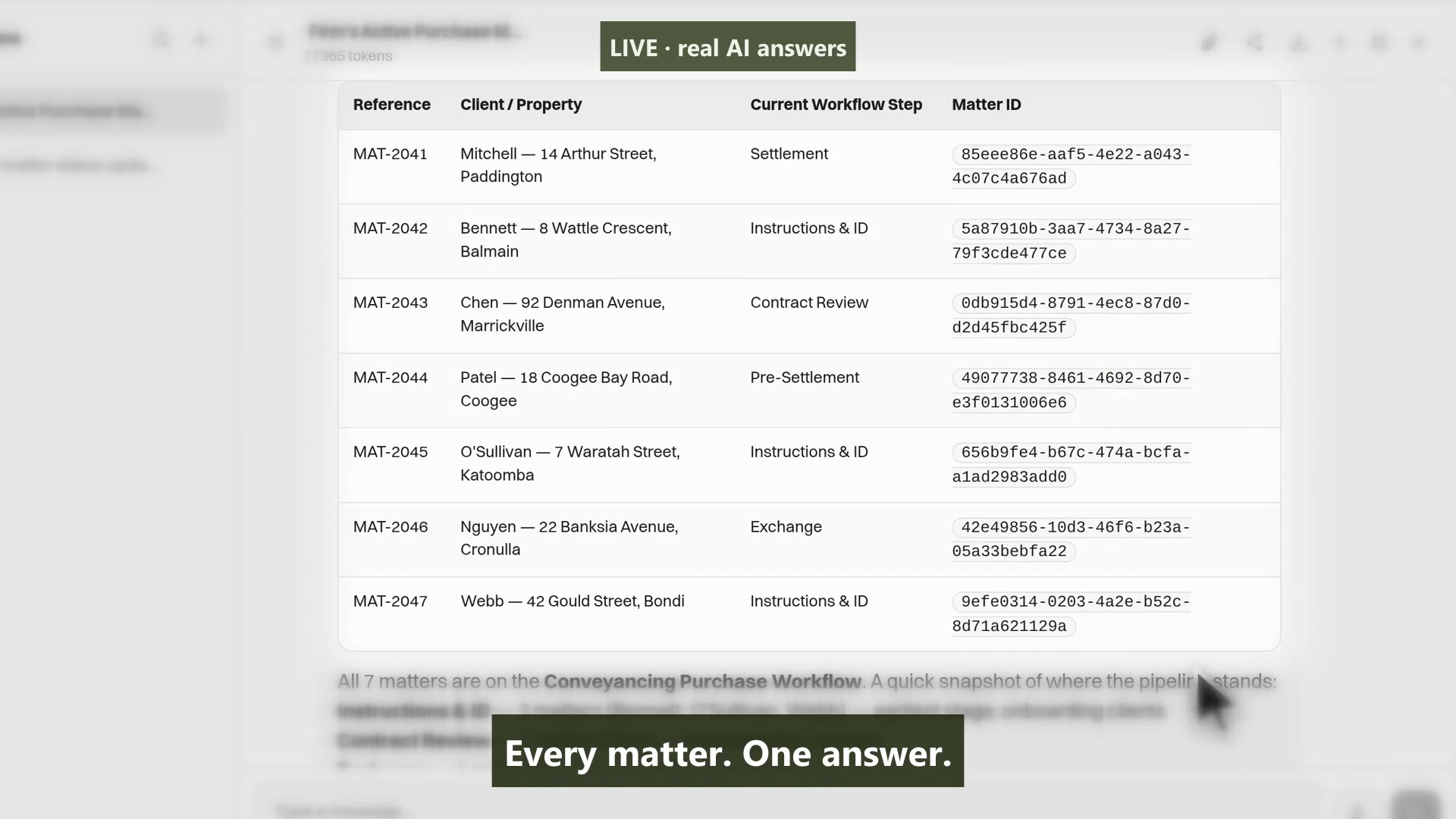
Matti is built into MatterFirst. Ask questions about your matters and documents, inspect the sources, draft documents and client communications, and prepare tasks, dates and matter updates. Review and approve Matti’s proposed changes before they are applied.
Last reviewed
What can an AI assistant do inside practice management software?
Matti is built into MatterFirst. Ask questions about your matters and documents, inspect the sources, draft documents and client communications, and prepare tasks, dates and matter updates. Review and approve Matti’s proposed changes before they are applied. Matti follows your firm’s enabled tools and user permissions. Document Intelligence extracts information for review; configured workflows act on confirmed information.
Context-aware chat
An assistant that actually knows your matters
Matti reads your matter data, documents, tasks and timeline. Ask it questions and get answers grounded in your actual work, not generic legal advice.
- Ask about matter status, deadlines and outstanding tasks
- Query across all matters: “Which settlements are next week?”
- Follow-up questions with conversation memory
- Answers about matter facts name the record they came from
Capability 1 of 4
Answers grounded in your matters, not the internet.
Draft & suggest
Draft emails, notes and summaries in seconds
Matti drafts client emails, internal notes and matter summaries using context from the matter. Review, edit, send, with full control at every step.
- Draft client update emails and documents with matter-specific context
- Generate matter summaries for team handovers
- Suggest next steps based on workflow stage
- Prepare tasks, key dates and matter updates for approval
Capability 2 of 4
First drafts in seconds, ready for your review.
Human control
AI suggests. Humans decide. Always.
Matti’s proposed changes and outgoing communications wait for your approval. Review the document, recipients and matter details before applying an action. Your team stays in control.
- Changes and outgoing communications require approval
- Confidence recorded against an extraction where the model returned one
- Every suggested action recorded with who approved it and when
- Configurable AI tool permissions per role
Capability 3 of 4
Review and approve proposed changes.
Example workflows
See what the assistant can do, in practice
From onboarding new matters to preparing settlement checklists, Matti helps with routine knowledge work so your team can focus on judgement calls.
- “Summarise this contract and flag unusual terms”
- “Draft a settlement reminder email for next week's matters”
- “What tasks are overdue across my active conveyancing files?”
- “Create a checklist from this special conditions clause”
Capability 4 of 4
Routine knowledge work, handled.
MatterFirst is an AI-native legal practice management platform for Australian law firms, built for small and boutique practices by NorthCape Technology.
This suits a firm that spends real time reconstructing where a matter got to, and practice managers answering the same status questions repeatedly. It is not a legal research tool and it does not give advice, it works from what is on your file, not from case law, and a firm looking for research or advice should be looking at a different category of product.
FAQ
Frequently asked questions
Can it act on a matter by itself?
Does it give legal advice?
Can it see matters a user is not allowed to see?
Where is my data stored?
How much does MatterFirst cost?
Can I get my data out if I leave?
Is there a free trial?
Who builds MatterFirst?
Is MatterFirst suitable for a firm of my size?
Reviewed by Nick Hallam
Co-founder and Operations Director, NorthCape Technology
Aerospace engineer with a background in mission-critical software and complex systems integration, and the one who talks to firms about how they actually run. Keeps MatterFirst grounded in how firms operate, and reviews the practice-area and workflow pages on this site.
Last reviewed
Ready to add AI to your practice?
Book a demo and put questions to the assistant against your own matter data, which is the only way to judge whether it fits how you work.
We can't find the internet Attempting to reconnect
Something went wrong! Attempting to reconnect