Finance and reporting
Track time. Invoice clients. Get paid.
See everything.
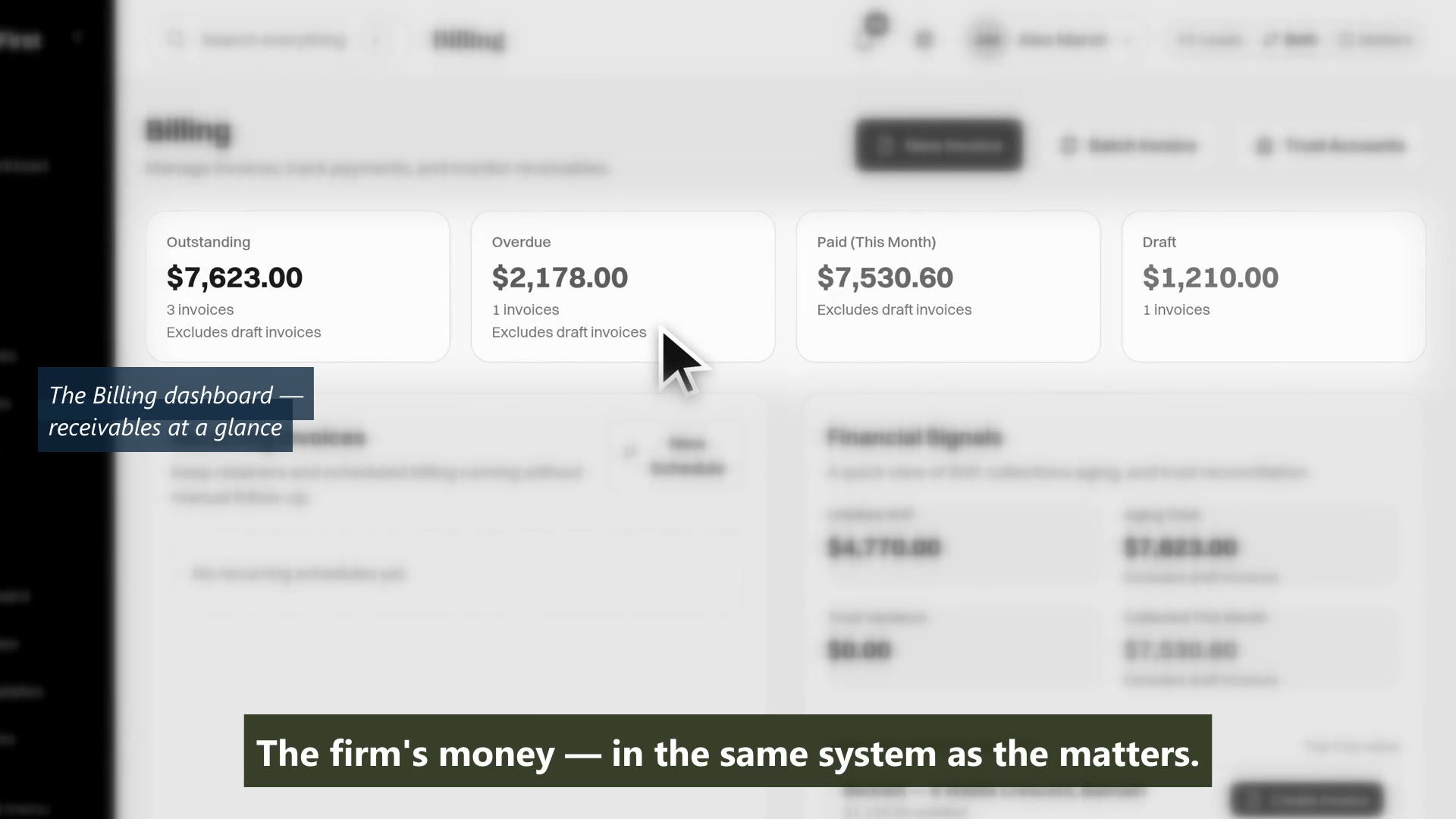
MatterFirst handles the full financial cycle: time capture, invoice generation, trust, payment collection and live dashboards. No separate billing system, and no rekeying between two of them.
Last reviewed
What should law firm billing software do for an Australian firm?
Capture time against the matter, turn it into an invoice with GST calculated correctly, run the trust ledger to Australian rules, take payment, and reconcile with the firm's accounting system. MatterFirst does all of that in the same place as the matters, and syncs invoices and payments both ways with Xero.
Automatic time capture: sources and review controls Trust accounting: capabilities, jurisdiction coverage and sign-off
Time tracking
Track time where the work happens
Start timers from tasks, matters, or the global bar. Log entries manually or let MatterFirst suggest entries from your activity. Review activity sources and estimated durations before accepting a suggestion; mark non-billable work appropriately.
- One-click timer start from a matter
- Manual time entry with matter, task and activity linking
- Automatic suggestions from matter-linked meetings, emails, documents and file notes
- Draft, approved, invoiced and written off states on every entry
Capability 1 of 4
Review the source and duration before acceptance.
Invoicing
Generate invoices in seconds, not hours
Select time entries and disbursements, choose a template, and generate a professional invoice. Send it to the client portal or email. Payment links included automatically.
- Batch invoice generation across multiple matters
- Customisable invoice templates, reviewed and approved before one goes live
- Automatic line items from time entries and disbursements
- Trust account deductions applied against the invoice
Capability 2 of 4
From tracked time to sent invoice in seconds.
Payment collection
Clients pay online. You get paid faster.
Bank transfer by default, with your remittance details on every invoice. Firms that want it can switch on Stripe card payment from the client portal, and payments recorded either way mark the invoice paid.
- Bank details on every invoice, no integration required
- Optional card payment via Stripe, off by default
- Payment links embedded in invoice emails when card is enabled
- Overdue payment reminders sent automatically
Capability 3 of 4
Paid the way your firm already gets paid.
Dashboards
Real-time financial visibility, for every role
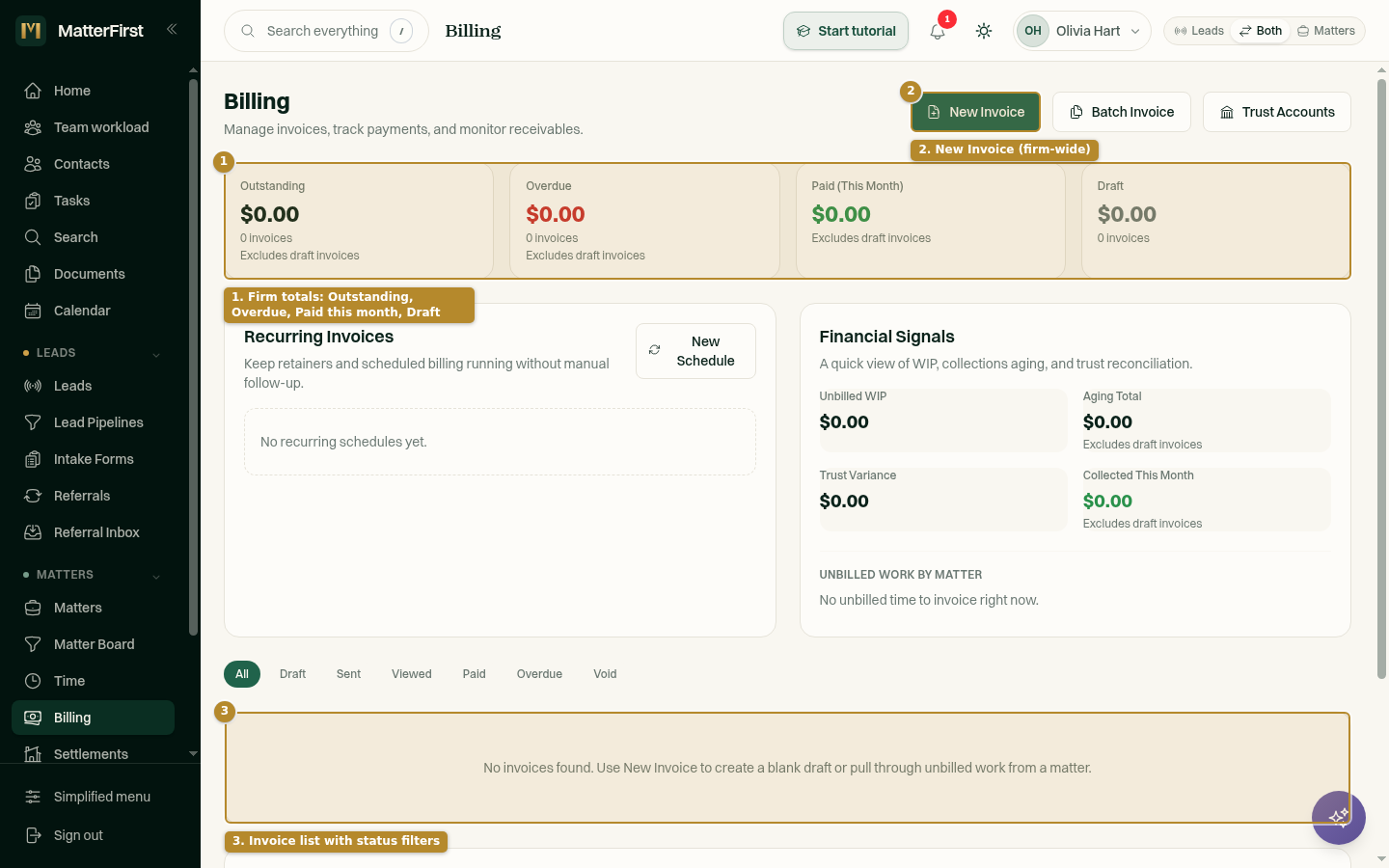
Partners see firm-wide revenue. Managers see team utilisation. Fee earners see their own recorded and billed time. Every role gets the financial view they need.
- Revenue and unbilled WIP dashboards, by period
- Team utilisation per fee earner, billable against recorded
- Matter type distribution and staff workload
- Aged debtors in 30, 60, 90 and 90-plus day buckets, and payment trends
Capability 4 of 4
The financial view each role needs, in real time.
MatterFirst is an AI-native legal practice management platform for Australian law firms, built for small and boutique practices by NorthCape Technology.
This suits firms billing time and disbursements across repeatable matters, and firms currently rekeying between a practice system and a separate billing package. It will not satisfy a firm that needs deep, configurable financial reporting of the kind a larger practice expects, which is a fair reason to look at a platform built for that.
FAQ
Frequently asked questions
Does MatterFirst have automatic time capture?
Can I correct or reject captured time?
Does it monitor my desktop activity?
Is time capture powered by an AI model?
Which plans include automatic time capture?
Does MatterFirst handle Australian trust accounting?
Can we bring our trust ledger history across when we switch?
How is GST handled?
Does it work with Xero?
Where is my data stored?
How much does MatterFirst cost?
Can I get my data out if I leave?
Is there a free trial?
Who builds MatterFirst?
Is MatterFirst suitable for a firm of my size?
Reviewed by Nick Hallam
Co-founder and Operations Director, NorthCape Technology
Aerospace engineer with a background in mission-critical software and complex systems integration, and the one who talks to firms about how they actually run. Keeps MatterFirst grounded in how firms operate, and reviews the practice-area and workflow pages on this site.
Last reviewed
Ready to take control of your finances?
Book a demo and we will walk through time capture, invoicing and the dashboards against your own rates and matter types.
We can't find the internet Attempting to reconnect
Something went wrong! Attempting to reconnect